Universal Credit is the UK government’s main welfare payment, combining six legacy benefits into a single monthly payment. Whether you are signing in for the first time, or coming back to manage a claim, your online account is the main place to do this.
You can use it to track your payments.
You can also use it to track your obligations.
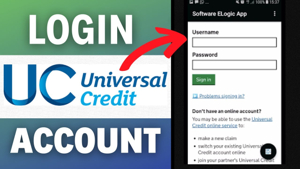
Sign In and Get Started
To access your account, visit the official GOV.UK sign-in page. You’ll need the email address and password used when you first applied. You can recover forgotten login details through the sign-in page using your registered email address.
Once inside, you can:
- Check your payment schedule and amounts
- Submit your monthly work and earnings report
- Read and respond to messages from your work coach
- Report changes in circumstances such as income, housing, or household members
- Upload documents and evidence when requested
- Book or confirm appointments at your local Jobcentre Plus
What Is Universal Credit?
Introduced by the Department for Work and Pensions (DWP), this benefit replaced six separate legacy payments:
- Income Support
- Income-related Employment and Support Allowance (ESA)
- Income-based Jobseeker’s Allowance (JSA)
- Housing Benefit
- Child Tax Credit
- Working Tax Credit
Available to people on low incomes or out of work. This includes employees, self-employed people, and those who cannot work because of health conditions. We make payments monthly, directly into your bank account.
How to Start a Claim
If you believe you may be eligible, applications are completed online through GOV.UK. Before you begin, have the following to hand:
- National Insurance number
- Bank, building society, or credit union account details
- Details of your housing costs
- Savings, investments, or other income information
Your first payment typically arrives around five weeks after your claim date. If you’re reapplying, your previous account may still be accessible, meaning you won’t always need to restart the full process.
Using Your Online Account and Journal
The built-in journal is a direct messaging tool between you and your DWP work coach. Important notices, to-do items, and claim updates all appear here.
Key tasks you’ll manage through the account include:
- Reporting earnings each month using information from your payslip
- Reviewing your Claimant Commitment, which outlines agreed job-seeking or work-related activities
- Responding to managed migration notices if you’re moving across from a legacy benefit
- Report any changes in your circumstances—such as housing, health, or who lives with you—promptly. This helps avoid overpayments or underpayments.
Understanding Your Payment Breakdown
Once signed in, your account displays a detailed breakdown of each monthly payment. This includes the standard allowance, any additional elements you qualify for, and any applicable deductions. Understanding this breakdown helps you check if you receive the correct amount. It also helps you spot anything you should query.
Your payment may include additional elements for:
- Children – A child element is added for each dependent child or young person you’re responsible for
- Childcare costs – You can claim back up to 85% of eligible registered childcare costs
- Housing – A housing element helps cover rent if you’re in private or social rented accommodation
- Disability or health conditions – If you have a limited capability for work, additional amounts may apply
- Caring responsibilities – A carer element is available if you provide at least 35 hours of care each week. You must care for a severely disabled person.
You may use deductions to repay advance payments, past overpayments, or third-party debts like rent arrears.
Advance Payments and Budgeting Support
The standard wait of approximately five weeks before a first payment can create financial pressure for new claimants. To help bridge this gap, the DWP offers an advance payment.
An interest-free loan repaid through future monthly instalments.
You can request an advance payment through your online account or at your first Jobcentre Plus appointment. Consider how repayments will affect your monthly budget before requesting the full amount available to you.
For ongoing budgeting support, MoneyHelper offers free tools and guidance tailored to people managing welfare payments. Local councils may also provide emergency support through the Household Support Fund if you’re facing immediate hardship.
Managed Migration – Moving From Legacy Benefits
If you currently receive one or more legacy benefits, you will get a migration notice. It will tell you to move to the new system. This is part of the DWP’s managed migration programme, which is rolling out gradually across the UK.
Once you receive your migration notice, you have three months to make a new claim. It is important not to ignore the notice. If you miss the deadline, your current payments may stop. In many cases, transitional protection is available, so you are not financially worse off when you move across.
This applies if you claim within the given timeframe.
If you’re unsure how migration will affect your household income, Citizens Advice and Turn2Us can help. They offer free benefit calculators and one-to-one guidance.
Keeping Your Account Secure
Your online account contains sensitive personal and financial information, so keeping it secure is essential. Follow these best practices:
- Use a strong, unique password that you don’t use for other websites
- Never share your login details with anyone, including people claiming to represent the DWP
- Always sign out after using a shared or public device
- Be careful of phishing emails or texts that ask you to verify your account.
- The DWP will never ask for your password by email or text.
- If you suspect your account has been compromised, contact the helpline immediately and change your password
The DWP will only ever contact you through your journal, official GOV.UK communications, or by post. Treat any unexpected contact that asks for personal details with caution.
What Happens if Your Circumstances Change?
One of the most important responsibilities as a claimant is keeping your details up to date. Report changes through your online account as soon as they happen. Common changes that need to be reported include:
- Starting or leaving a job
- Changes in earnings or working hours
- Moving home or changes to your rent
- A new person moving into or out of your household
- A new baby or a child leaving the household
- A change in your health condition or disability status
- Coming into savings or a financial windfall above £6,000
Failing to report changes on time can cause overpayments. You must pay them back. In some cases, you may also face penalties for not reporting correctly.
Tips for Managing Your Claim Effectively
Staying organised makes the whole process significantly smoother. A few practical habits can save time and prevent issues:
- Check your journal regularly — messages from your work coach often require a response within a set timeframe
- Keep payslips and bank statements — these are frequently needed for earnings verification
- Screenshot important notices — particularly migration notices or decisions about your claim
- Set a monthly reminder to submit your earnings report before the deadline
- Make notes of phone calls with the DWP, including the date, time, and name of the adviser
- If you disagree with a decision about your claim, you can ask for a mandatory reconsideration. This includes sanctions, deductions, or payment amounts. This is the first step in formally challenging a decision, and Citizens Advice can help you navigate the process.
Claiming in Northern Ireland
In Northern Ireland, NI Direct handles claims instead of GOV.UK, and the process works differently. Residents should use the NI Direct portal to sign in or apply.
Where to Get Help
Several trusted organisations offer free support for claimants:
- Citizens Advice – Independent guidance on applying and managing your claim
- Turn2Us – Practical information on navigating your online account and journal
- MoneyHelper – Budgeting tools to help manage monthly payments
- CPAG – Detailed resources for understanding and downloading account information
- Age UK – Dedicated support for older people navigating the system
Common Questions
Why did the UK introduce this benefit system? The aim was to simplify welfare, cut administrative complexity, and ensure employment always pays more than remaining on benefits. Replacing six separate payments with one monthly sum makes it easier to manage finances and transition back into work.
Is there a mobile app available? There is no dedicated DWP app.
However, the GOV.UK sign-in page is mobile-friendly.
It works smoothly on smartphones and tablets.
What if I can’t sign in? Use the “Forgot password” or “Forgot email” options on the login page. If issues persist, contact the helpline or reach out through your journal if it’s still accessible.
Always refer to GOV.UK or contact the DWP directly for official information. Guidance from Citizens Advice, Turn2Us, and MoneyHelper is a helpful supplement but does not replace official DWP communications.